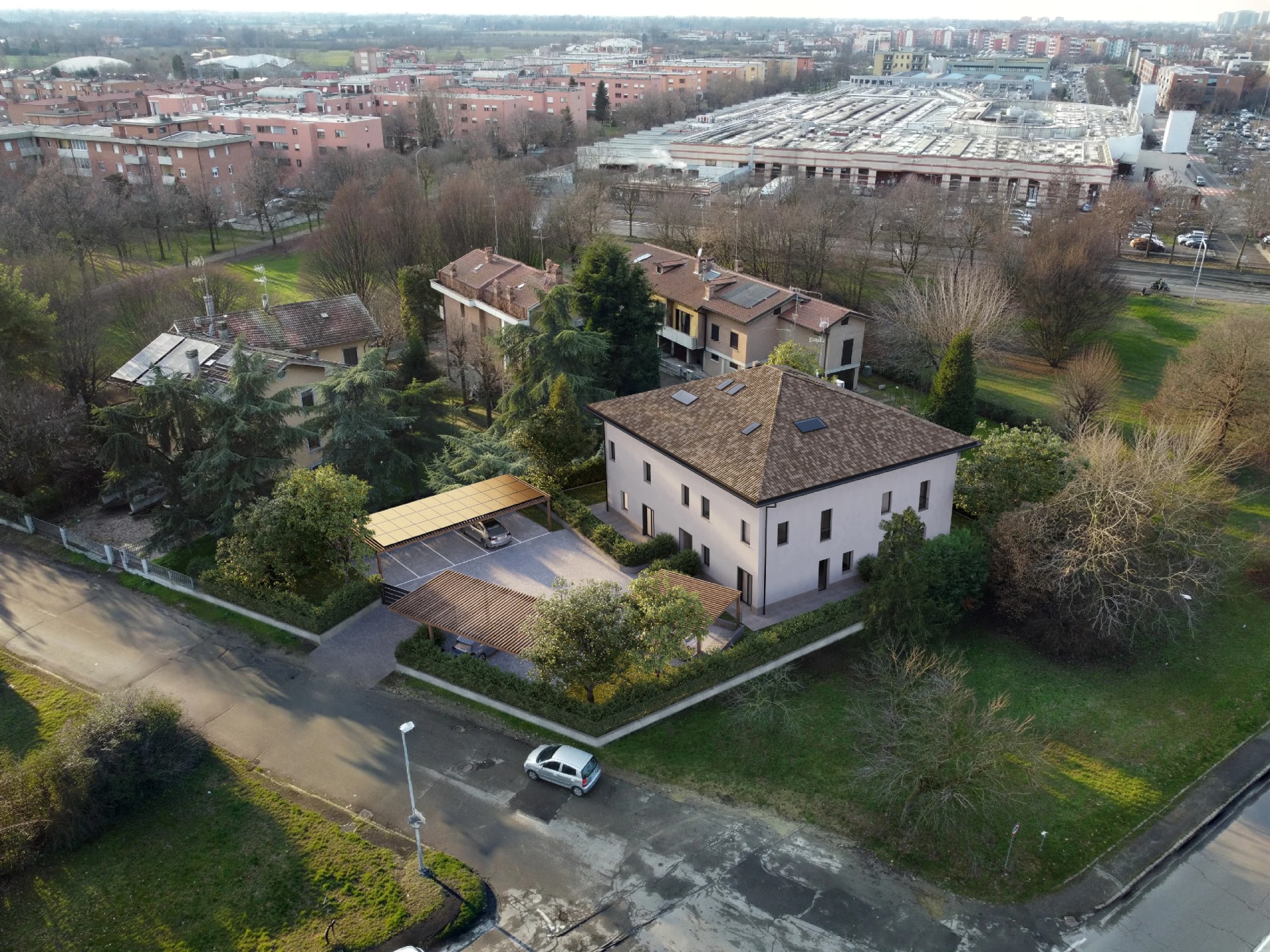
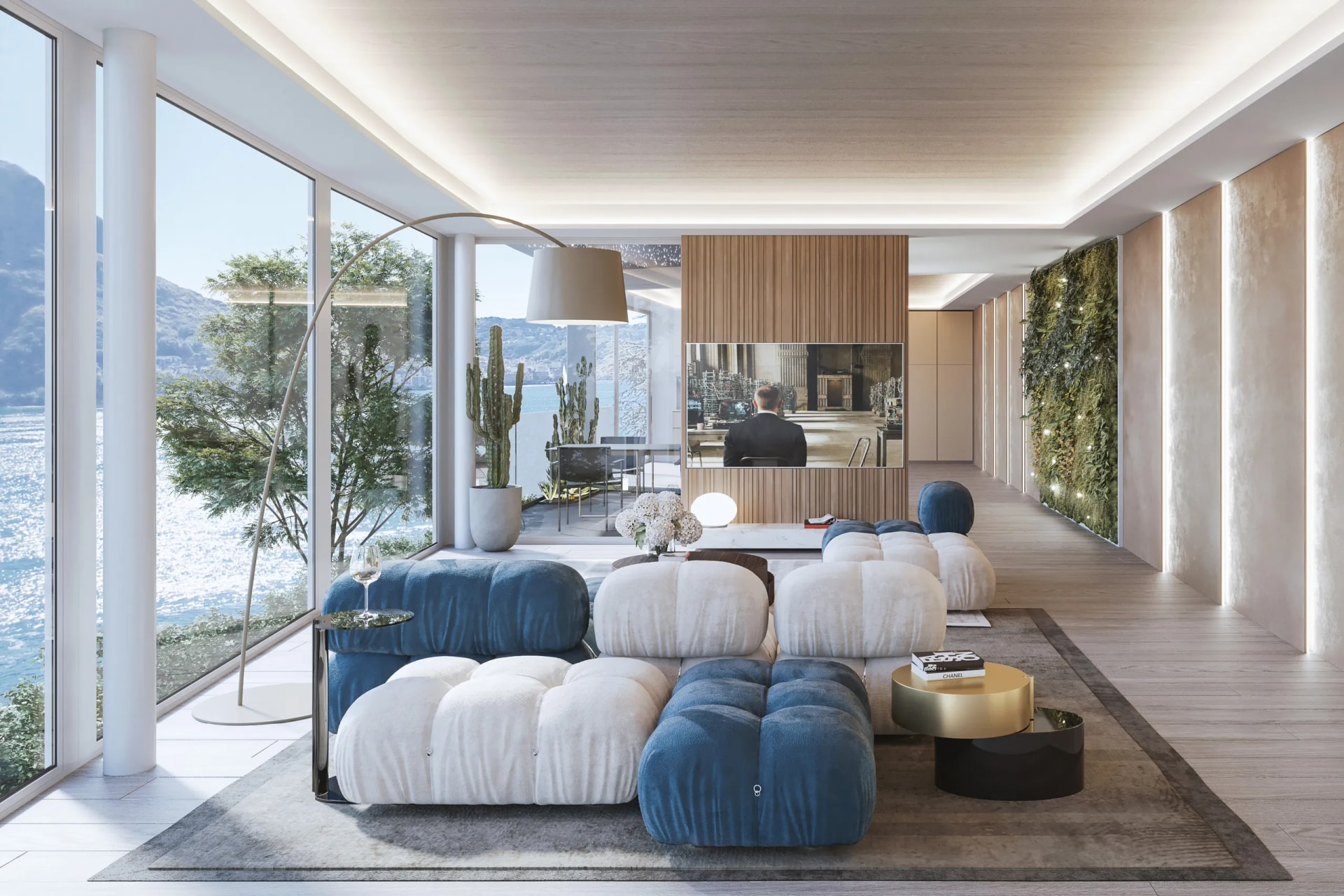
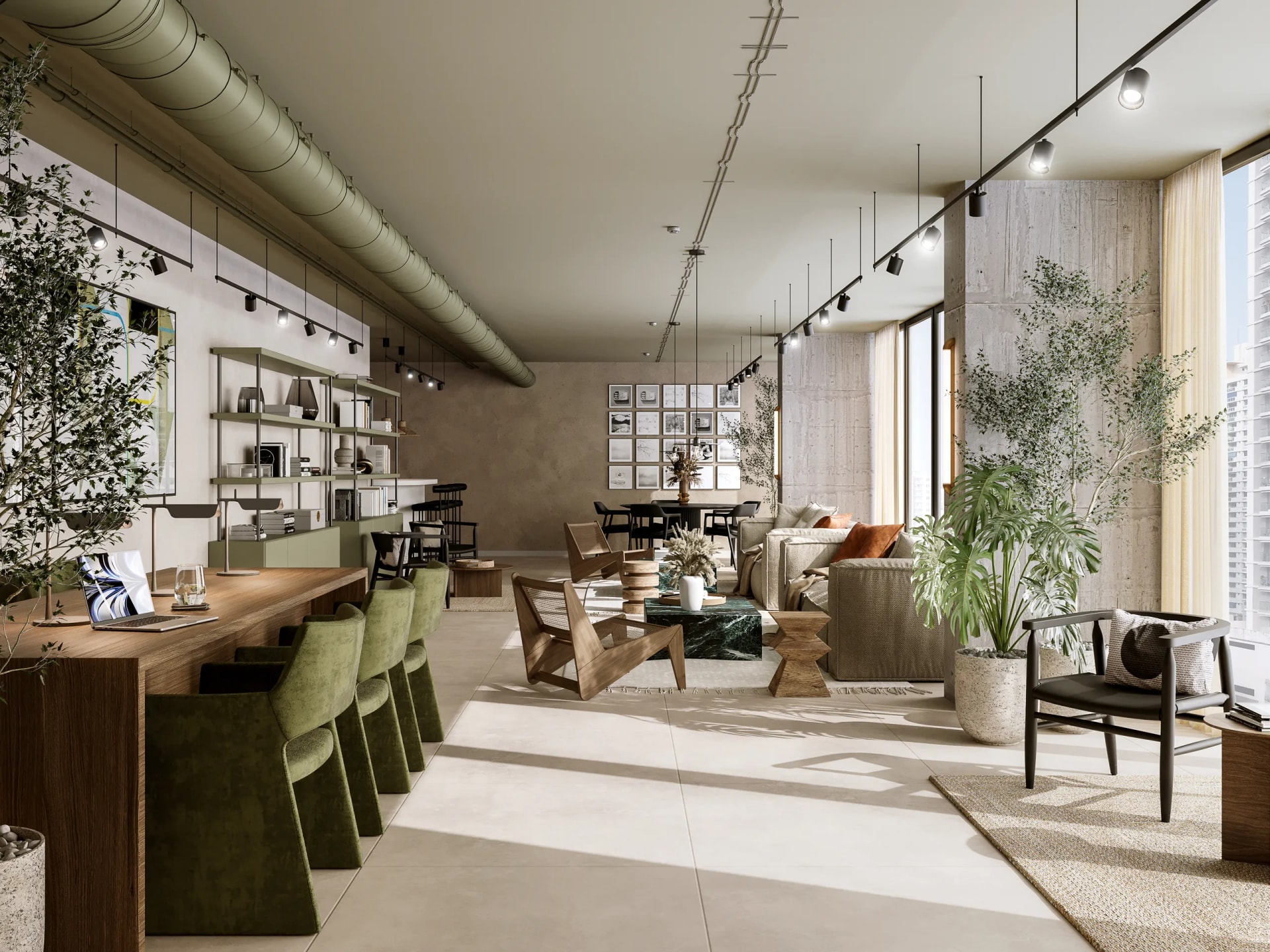
You look at an image of a living room with warm light filtering through the windows, soft shadows on the parquet, reflections on the kitchen counter. It looks like a photo. It isn't. It's a photorealistic rendering, and the fact that you can't tell it apart from reality is its whole purpose.
At Archivision we create photorealistic renderings every day: interiors, exteriors, products. In this guide we explain what they are, how they're made and why they're a concrete tool for anyone who designs, builds or sells spaces and objects.
What a photorealistic rendering is
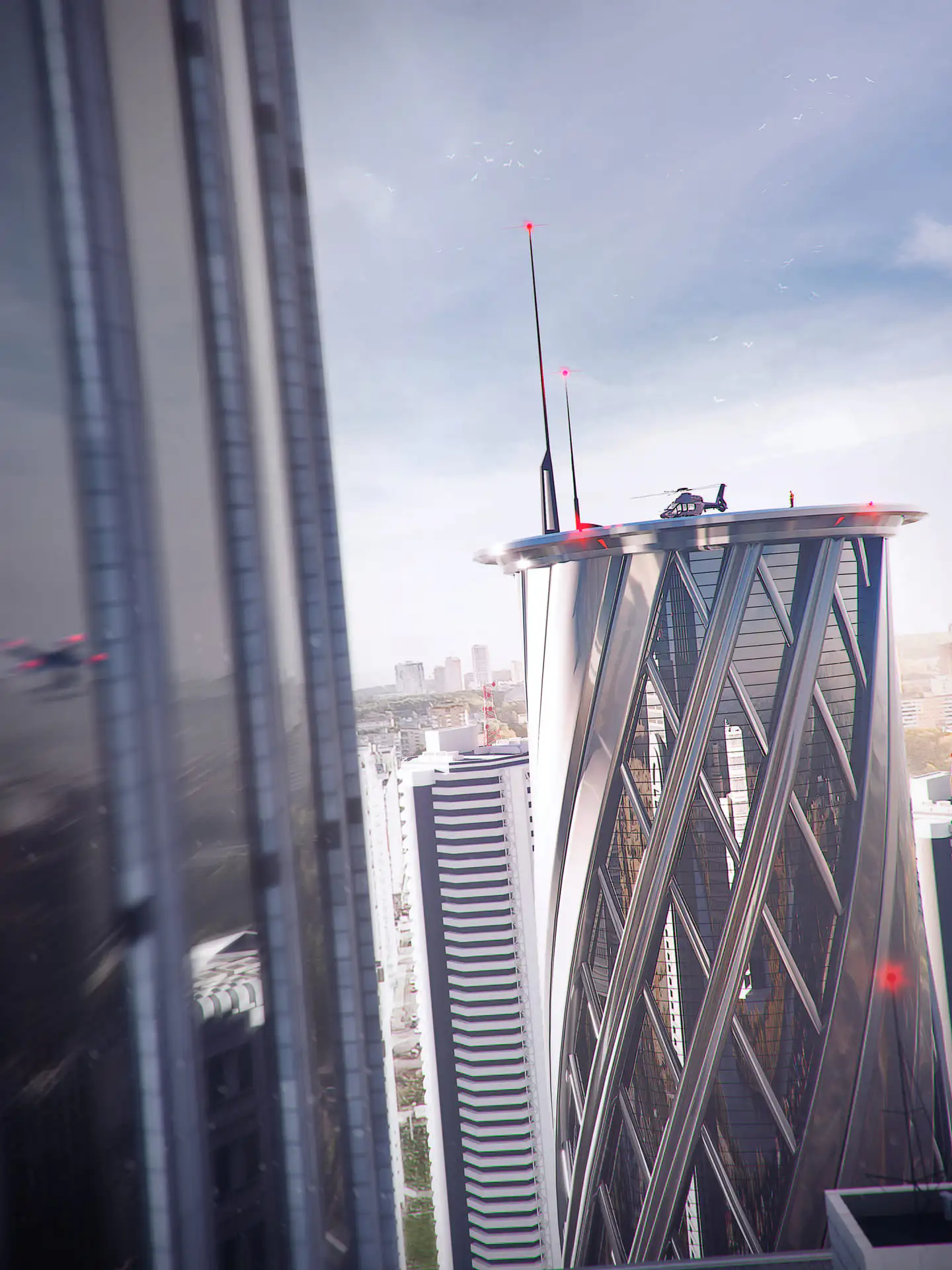
A photorealistic rendering is a computer-generated digital image that simulates reality with a level of detail that makes it indistinguishable from a photograph. It's not a drawing, it's not an illustration: it's the result of mathematical calculations that replicate the physical behavior of light, materials and the environment.
The key word is physical simulation. When we create a photorealistic rendering in the studio, we're not "coloring" a 3D model. We're telling the software: "This surface is Carrara marble, it has this roughness, it reflects light this way." And the computation engine does the rest, tracing millions of light rays that bounce between surfaces just as they would in reality.
You see the wood grain, the blurred reflection of a window on a glossy floor, the sunlight creating geometric patterns through the shutters. The difference between the technical terms is covered here: is it render or rendering?
How a photorealistic rendering is made
The process we follow at Archivision is divided into five phases. Each one has a direct impact on the final quality.
For a concrete example of what it means to push photorealism to the limit, take a look at our Homesick case study: first prize at the CGMood Home Challenge 2023.
3D modeling
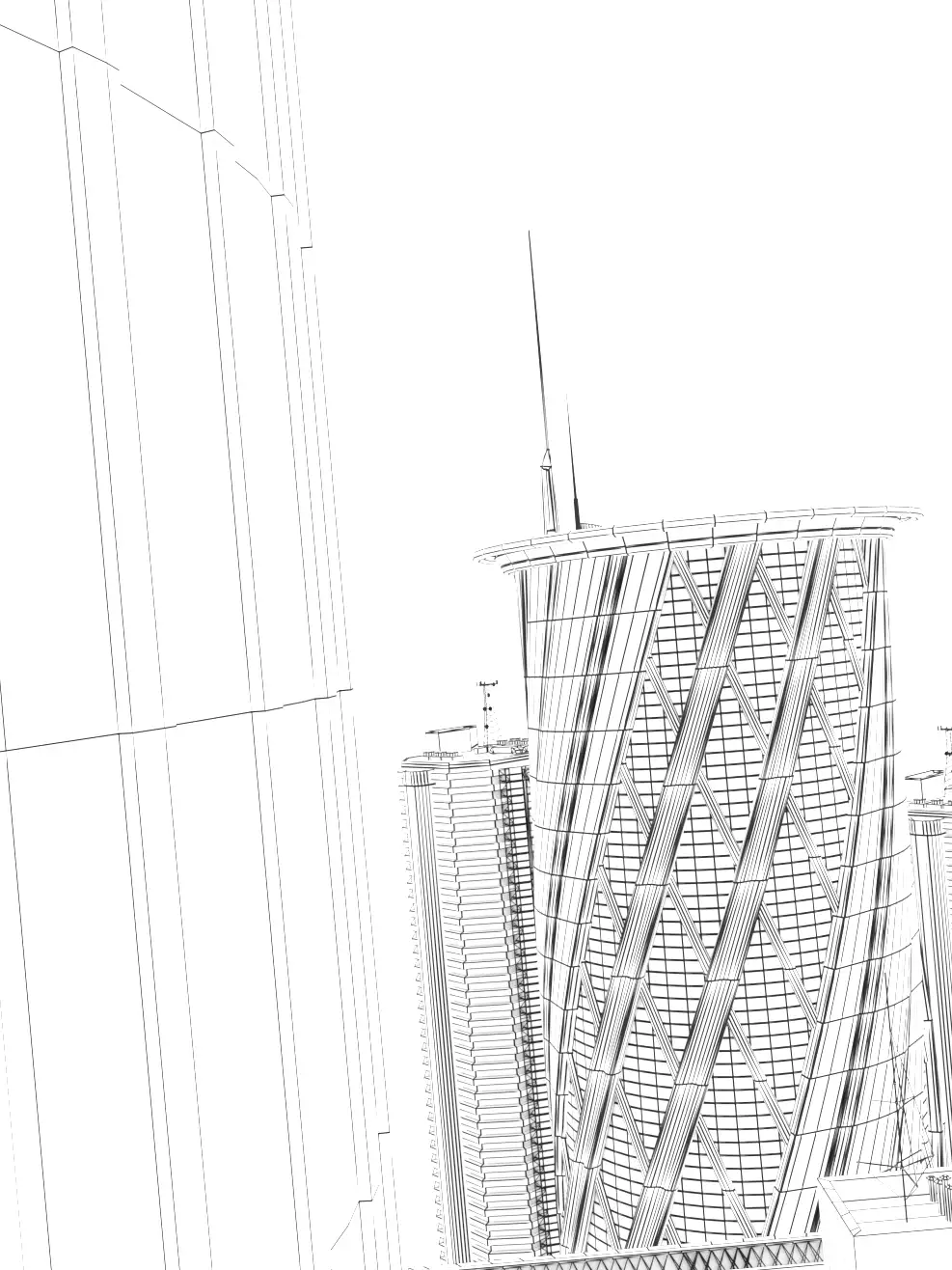
It all starts from a three-dimensional model. We receive the floor plans, the elevations and the sections from the architect and we rebuild the entire space in the 3D software. Every wall, every window, every architectural element is modeled with precise measurements. In this phase geometric fidelity is essential: an error in proportions shows up in the final result.
Applying the materials
Once the geometry is built, we assign each surface its physical properties. Oak parquet has a different texture from porcelain stoneware. Glass has a specific refractive index. Brushed steel reflects differently from polished steel. We use material libraries based on real scans (PBR - Physically Based Rendering) to ensure that every surface behaves like its real-world equivalent.
Lighting
Light is the factor that separates a mediocre rendering from a photorealistic one. We simulate natural light starting from real data: the building's geographic position, orientation, time of day, season. If the client wants to see how the light comes in at 4:00 pm in March through that south-east window, the rendering shows it precisely. We then add artificial lighting: spotlights, lamps, integrated LEDs, each with a specific color temperature and intensity.
Computation (rendering engine)
The rendering engine processes all the data and computes the final image. This process can take from 30 minutes to several hours per image, depending on the complexity of the scene and the resolution required. The software traces millions of light rays, computing how each ray interacts with each surface.
Post-production
The last step refines the image: color balance, depth of field, atmospheric corrections. We talk about it in detail later in this guide.
Software and technologies for photorealistic renderings
In our studio we use a combination of professional tools. There's no single software that does everything: each phase has its ideal tool.
3D modeling:
- 3ds Max - The standard in the architecture industry. We use it for most of our projects because it offers precision and flexibility in handling complex architectural scenes.
- SketchUp - Useful for importing models we receive from architects.
- Blender - Open source, increasingly competitive, we use it for specific projects.
Rendering engines:
- Corona Renderer - Our main engine. It produces photorealistic images with an intuitive workflow and reasonable computation times. The quality of the global illumination is among the best available.
- V-Ray - An established alternative, very widespread in the industry.
Post-production:
- Adobe Photoshop - For final retouching, adding environmental elements and color correction.
- Lightroom - For color grading and tonal adjustments.
The choice of software affects the result, but who uses it matters far more. A professional tool in inexperienced hands does not automatically produce photorealistic results.
Difference between photorealistic and non-photorealistic rendering
Not every rendering aims to look like a photograph. Different styles exist, each with a precise purpose.
Photorealistic rendering: simulates reality to the point of being indistinguishable from a photo. Real materials, physical lighting, environmental details. It's used when you need to show exactly what a finished project will look like: property sales, presentation to the end client, marketing material.
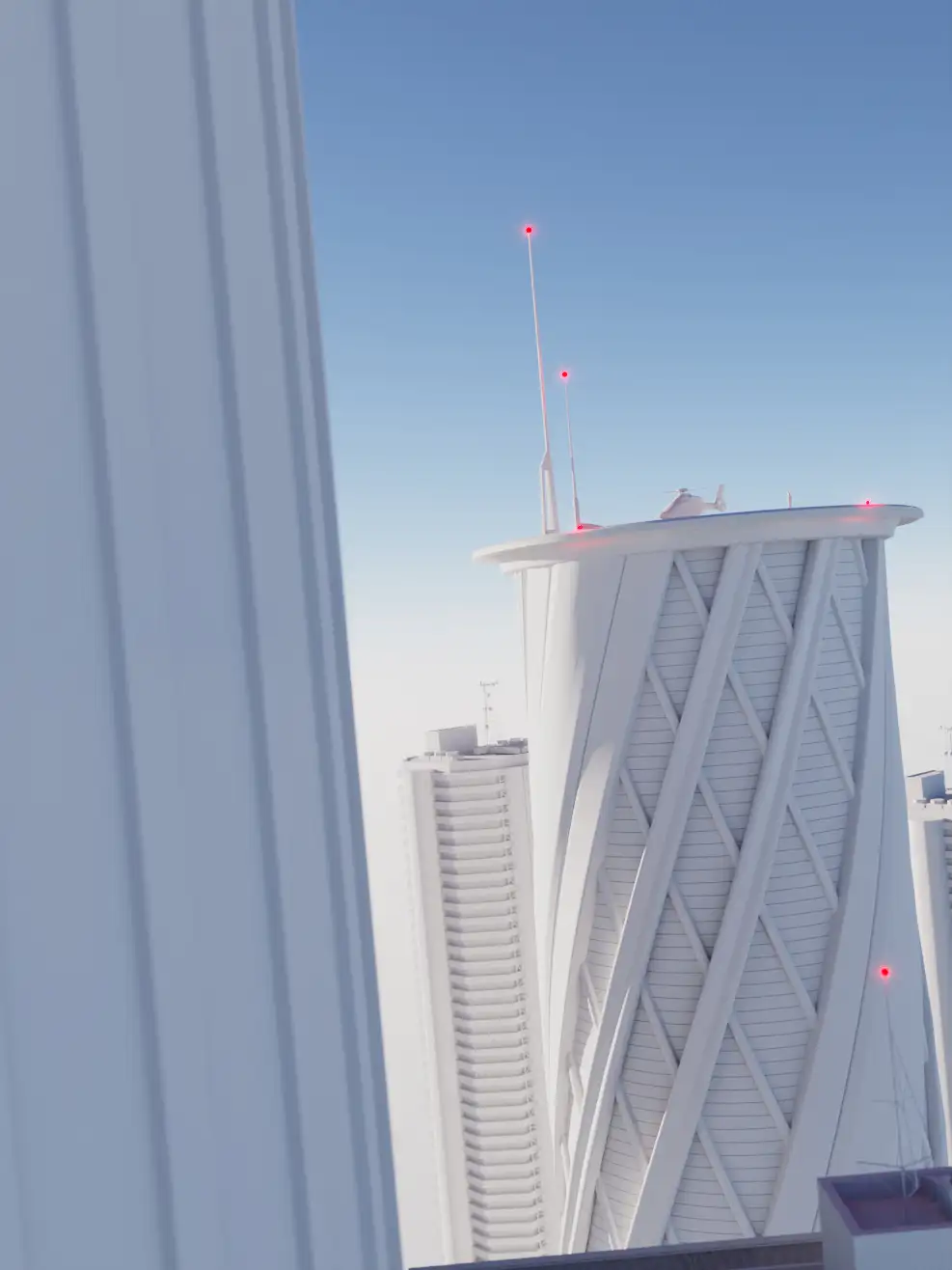
Stylized rendering (NPR - Non-Photorealistic Rendering): includes styles such as the clay render (all white, without materials), the watercolor effect, the sketch or diagrammatic style. It's used in the early design phases, for architecture competitions with specific guidelines, or when you want to communicate a concept without tying the client to definitive aesthetic choices.
Real-time rendering: images generated instantly, typical of game engines like Unreal Engine. The quality is improving rapidly, but for now it doesn't reach the level of an offline photorealistic rendering for details such as complex reflections, caustics and indirect lighting.
The practical difference? A photorealistic rendering requires more time and skill, but it produces a result that communicates immediately with anyone: clients, investors, buyers. No explanations needed.

Applications of photorealistic renderings
Photorealistic renderings solve concrete problems in different sectors. Here's where we see them make the difference every day.
Architecture
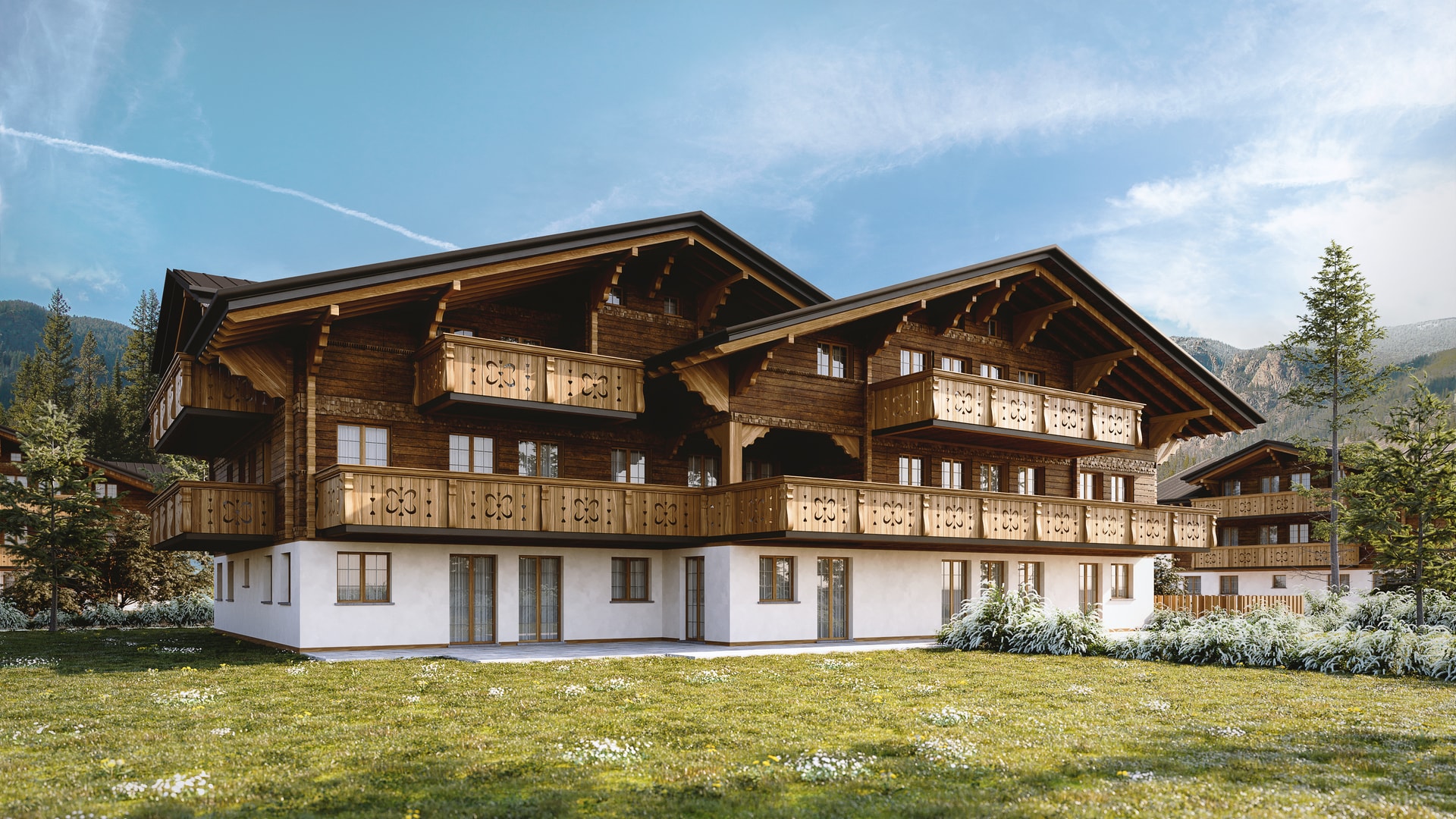
Architects and design firms use renderings to present projects to clients, planning commissions and competition juries. A photorealistic rendering shows the building in its context: how it fits into the neighborhood, how its appearance changes with the light at different hours, how the garden looks in spring.
Interior design
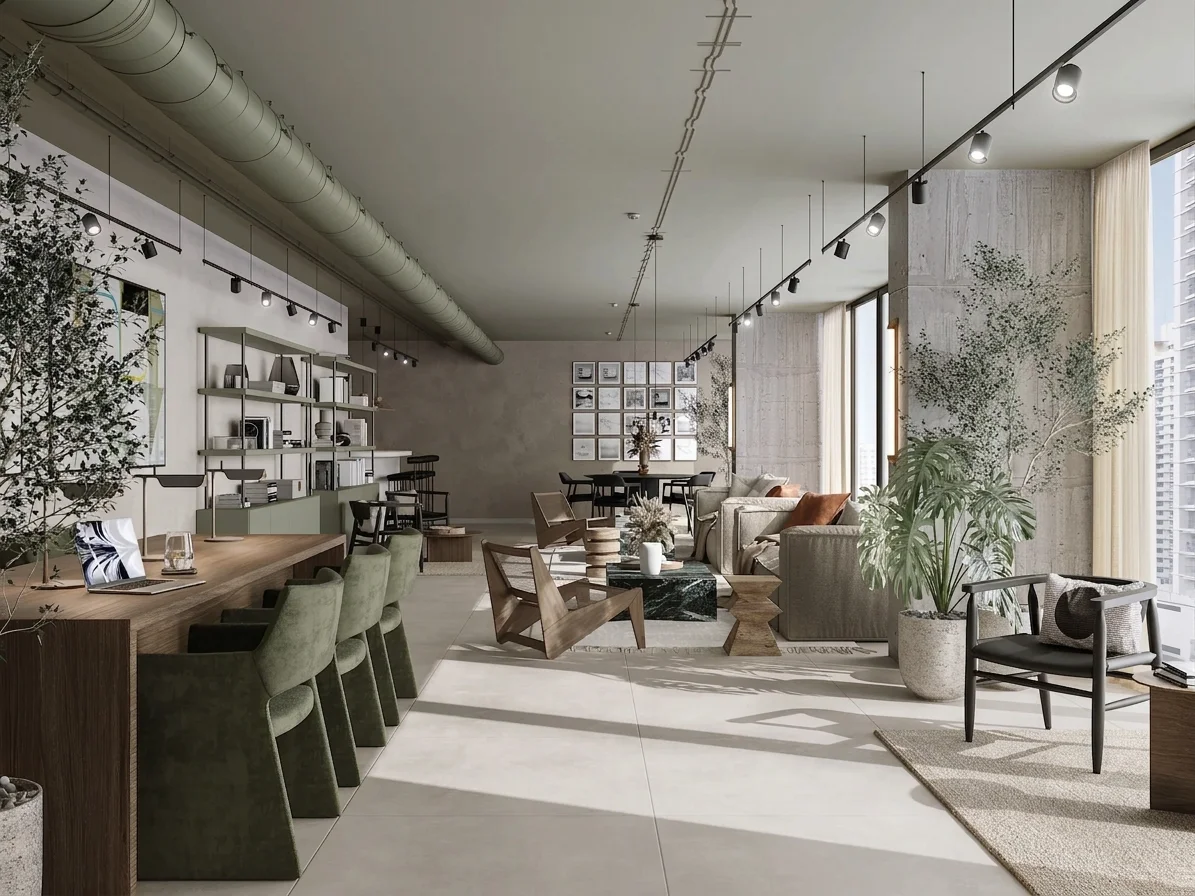
For interior designers, rendering is the tool that eliminates "trust me, it'll turn out fine". The client sees exactly the combination of colors, materials and furnishings before ordering anything. In our studio we often create interior renderings where we test two or three furnishing variants on the same space, so the designer can let the client choose with full awareness.
Real estate and property development
Here rendering is directly connected to sales. Real estate developers have to sell apartments in buildings that don't exist yet. With photorealistic renderings, potential buyers can see the living room with a view, the kitchen with the island, the terrace at sunset. According to industry data, quality visual material speeds up decision times by up to 40%.
Product design
Furniture, bathroom fixtures and lighting brands all use photorealistic renderings for catalogs and online configurators. The advantage? You can show 30 color variants of the same product without photographing them all. It costs less, it updates more easily and the quality is consistent. We create product renderings for companies that need this kind of flexibility.
Want to see concrete examples of photorealistic renderings applied to real projects? Take a look at our portfolio.
How long it takes to make a photorealistic rendering
It's one of the most frequent questions. The answer depends on three main variables.
Scene complexity. An interior with essential furniture takes less time than an exterior with vegetation, urban context and people. In our studio, a standard interior rendering takes 3-5 business days from receiving the materials. A complex exterior can reach 7-10 days.
Quality of the starting materials. If we receive clear floor plans, precise references and a detailed brief, we work faster. If we have to interpret hand sketches and look for materials from scratch, the timing stretches out.
Number of revisions. The first version of the rendering is rarely the final one. The client reviews it, asks for changes (changing the color of the sofa, moving a piece of furniture, trying a different light). Each revision cycle adds 1-2 days.
On average, from brief to final delivery, a typical project with 3 interior renderings takes 5-7 business days. For urgent projects we can compress the timing, but we always communicate it at the quote stage.
How to recognize a quality rendering
Not all photorealistic renderings are the same. Here are the concrete criteria we use to assess the quality of an image, and that you can use too.
Natural lighting. Light must behave as it does in reality. Check the shadows: are they soft where they should be (diffuse light), sharp where needed (direct light)? Light coming through a window must create a realistic gradient, not illuminate everything uniformly.
Believable materials. Wood must have grain. Marble must have variations in tone. Glass must reflect and let light through at the same time. If all the materials look "plasticky" or too perfect, the quality is low.
Scale and proportions. Furniture, doors, windows and objects must have realistic dimensions. A common mistake in low-quality renderings: chairs that are too big, disproportionate handles, impossibly high ceilings.
Environmental details. A quality photorealistic rendering includes controlled imperfections: a light layer of dust on a surface, the irregular reflection of glass, the natural grain of a fabric. Absolute perfection is the first sign that you're looking at a computer-generated image.
Photographic composition. The framing should follow the rules of photography: rule of thirds, guide lines, focal point. A good rendering is not just technically accurate, it's also well composed.

The role of post-production
Post-production is the phase that many underestimate, but that makes a significant difference in the final result.
After the rendering engine has computed the image, we work in Photoshop to refine several aspects.
Color grading. We adjust temperature, contrast and saturation to give the image a coherent atmosphere. A rendering of a seaside villa will have different tones from an urban loft. This phase is similar to what a professional photographer does in Lightroom after a shoot.
Depth of field. We add the selective blur that a real camera would produce. This effect guides the eye toward the focal point of the image and adds perceived realism.
Environmental elements. Vegetation in the foreground, people in the distance, reflections on wet surfaces. These elements give the scene context and make it look lived-in and believable.
Technical corrections. We remove any rendering artifacts, correct chromatic aberrations, balance the areas that are too bright or too dark.
Post-production accounts for roughly 15-20% of the total time of a project, but it weighs far more on the final perception. A technically perfect rendering without post-production looks "cold". With the right post-production, it becomes a photograph.
Frequently asked questions
What is the difference between photorealistic rendering and 3D rendering?
3D rendering is the general category: any image generated from a three-dimensional model. Photorealistic rendering is a specific type of 3D rendering that aims to replicate reality in a way that's indistinguishable from a photograph. All photorealistic renderings are 3D renderings, but not all 3D renderings are photorealistic.
How much does a photorealistic rendering cost?
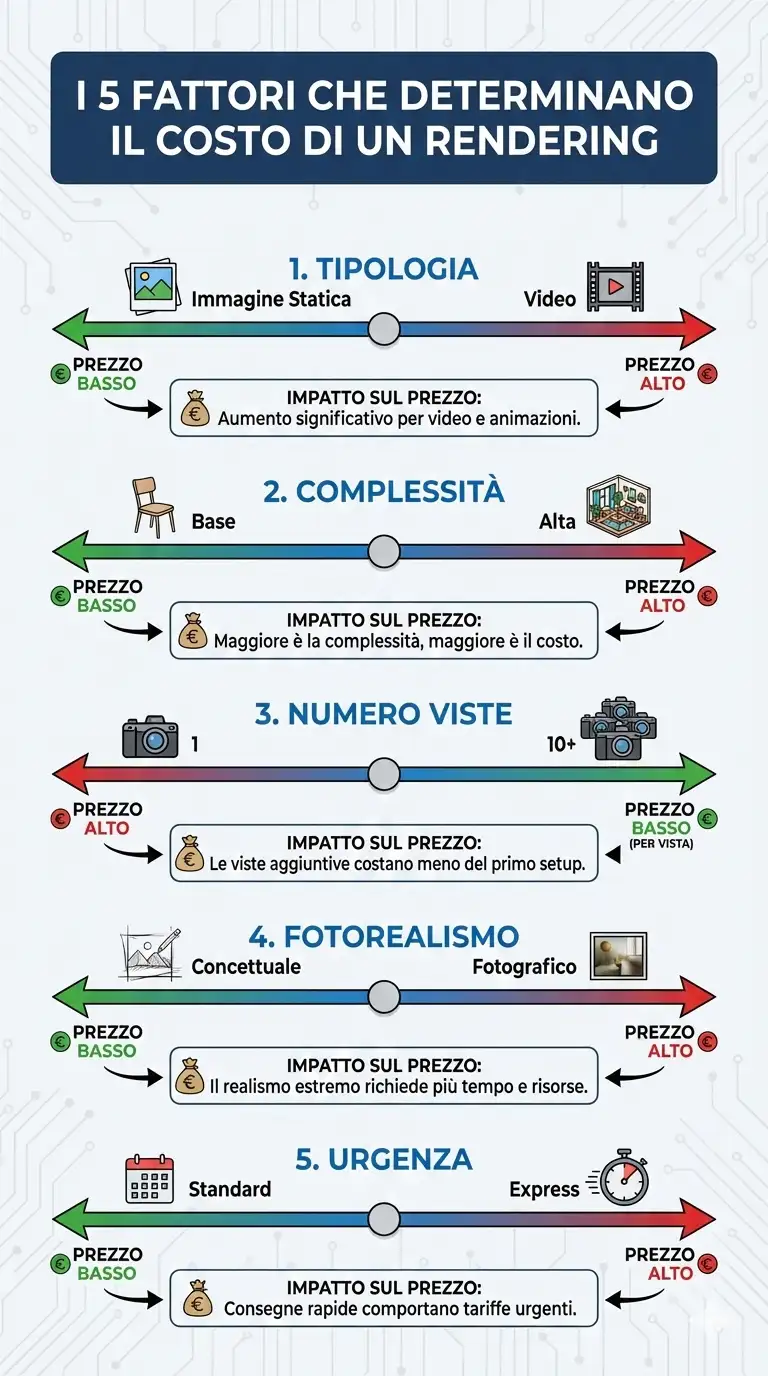
The cost depends on the complexity of the project, the number of views and the level of detail required. We've written a complete guide to rendering prices with up-to-date market ranges. For a specific quote, you can use our online calculator.
What's the difference between a photorealistic rendering and a photo?
A professional-quality photorealistic rendering is visually indistinguishable from a photograph. The difference is in the origin: the photo captures something that exists, the rendering shows something that hasn't been built yet. That's its main value: visualizing the future.
Where do I start if I have never commissioned a rendering?
With the drawings you already have. Floor plans, elevations and sections in DWG or PDF, plus some references for materials and context: from there we build the 3D model and send the first drafts for you to check. You do not need a finished 3D model, and you do not need every finish decided. Where something is missing we propose, and you correct.
Can I use photorealistic renderings to sell properties off-plan?
Yes. It's one of the main applications. Photorealistic renderings let real estate developers show apartments and villas before construction, making pre-sales easier. Many agencies also use renderings for online listings, brochures and sales presentations.
Can artificial intelligence create photorealistic renderings?
AI tools generate visually interesting images in a few seconds, but at the moment they don't offer the technical precision needed for a professional architectural rendering. You can't control measurements, a supplier's specific materials or lighting based on the real position of the building with exactness. AI is useful in the concept phase, but for the final photorealistic result you still need professional software and technical skills.
In summary
- A photorealistic rendering is a digital image that simulates reality through physical calculations on light, materials and geometry
- The process requires five phases: 3D modeling, materials, lighting, computation and post-production
- The average timing ranges from 3 to 10 business days depending on the complexity
- Quality is recognized by natural lighting, believable materials, correct proportions and environmental details
- The applications span from architecture to real estate, from interior design to product design
Have a project to visualize and want to understand costs and timing? Calculate your quote online: enter the details of the project and receive an estimate in a few minutes.