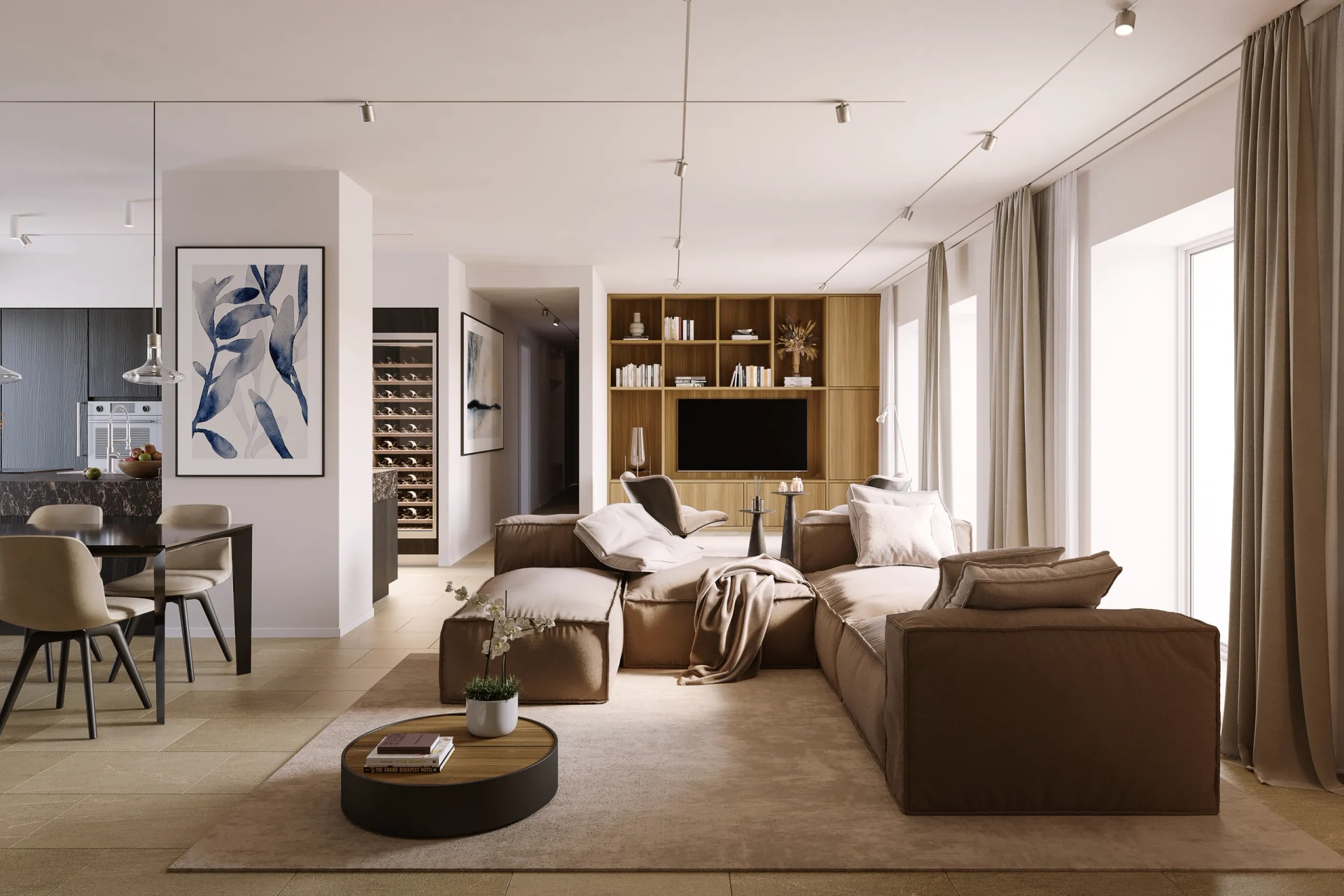
A beautiful rendering "floating in a void" doesn't convince a building commission and doesn't reassure the people living next door. Photomontage answers a different, much more concrete question: how will this project look exactly in this place? It's the rendering set into the real site, with its light, its buildings, its trees.
For architects and technicians it's often the decisive tool for obtaining an authorization, as well as for selling. In this guide you'll find what it is, how it's made, what it costs and which mistakes get it rejected.
What architectural photomontage is
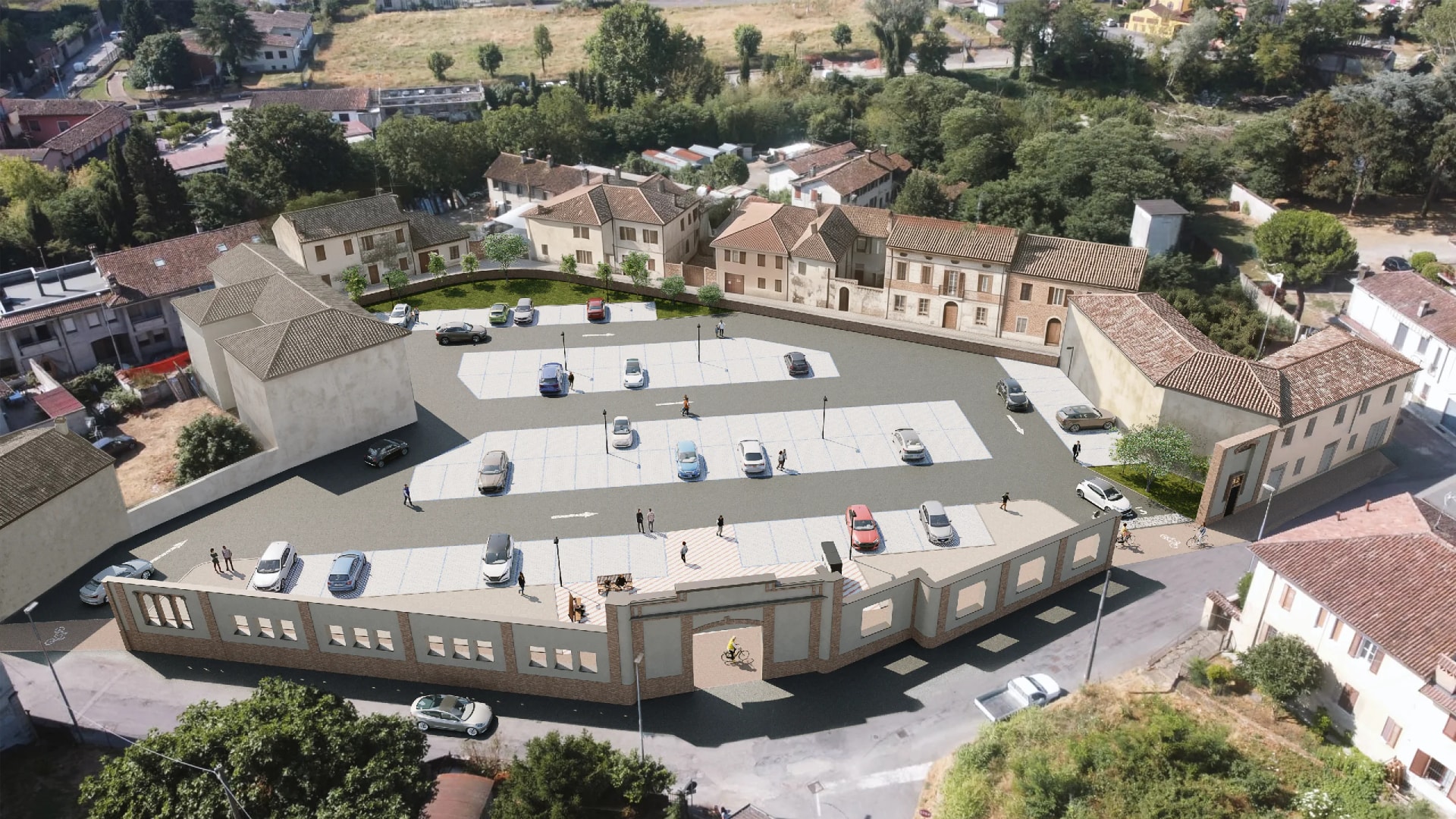
Photomontage is the technique by which the designed building, modeled in 3D, is integrated into a real photograph of the site. The goal is for the building to look genuinely present in that photo: same perspective, same light, same shadows, correct scale relative to what surrounds it.
The difference from a "studio" rendering is the context. In a traditional rendering we also build the environment around the building from scratch. In a photomontage the context is real, photographed on location: the street, the adjacent buildings, the existing vegetation, the profile of the hills. We insert only the project.
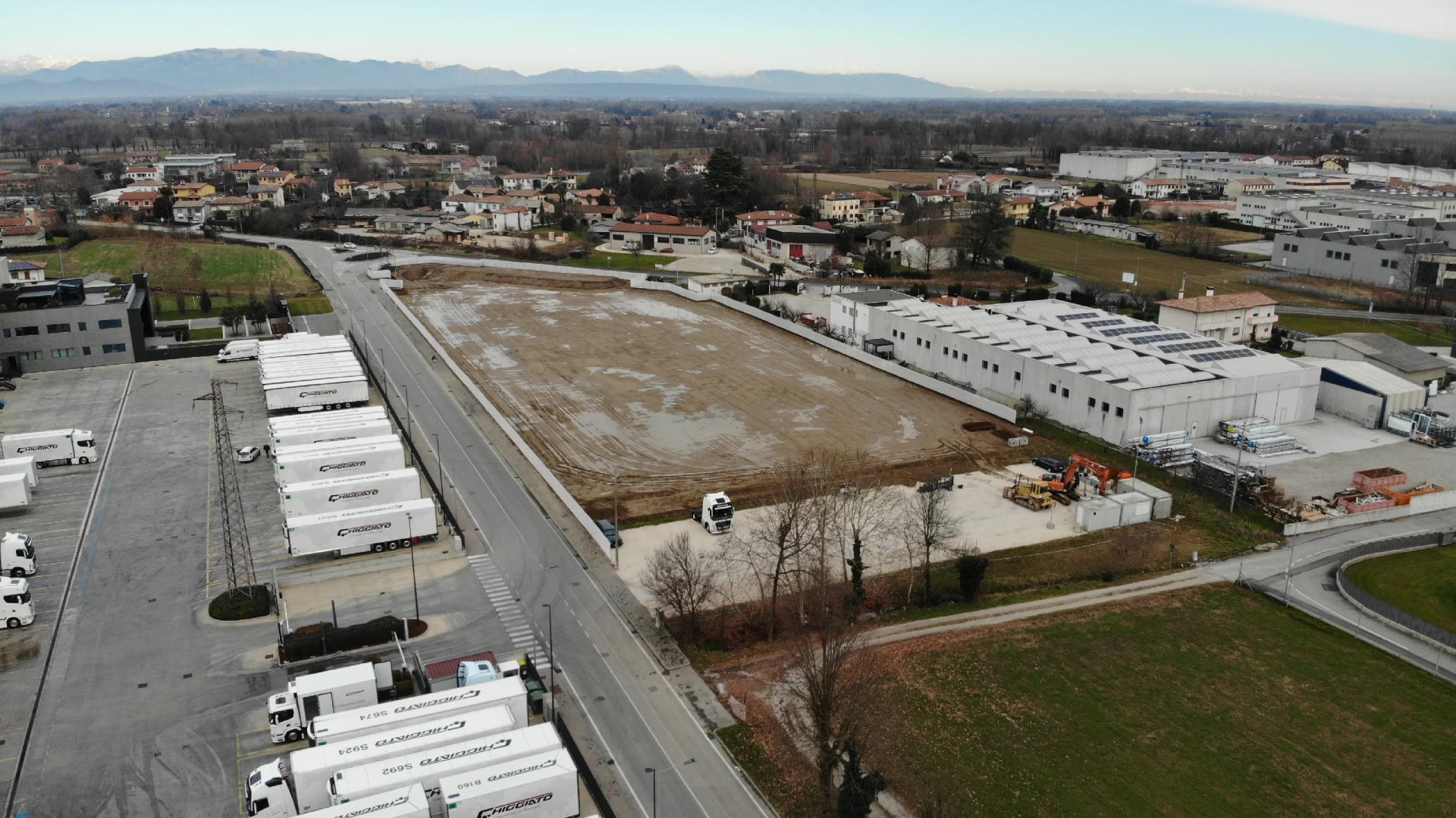
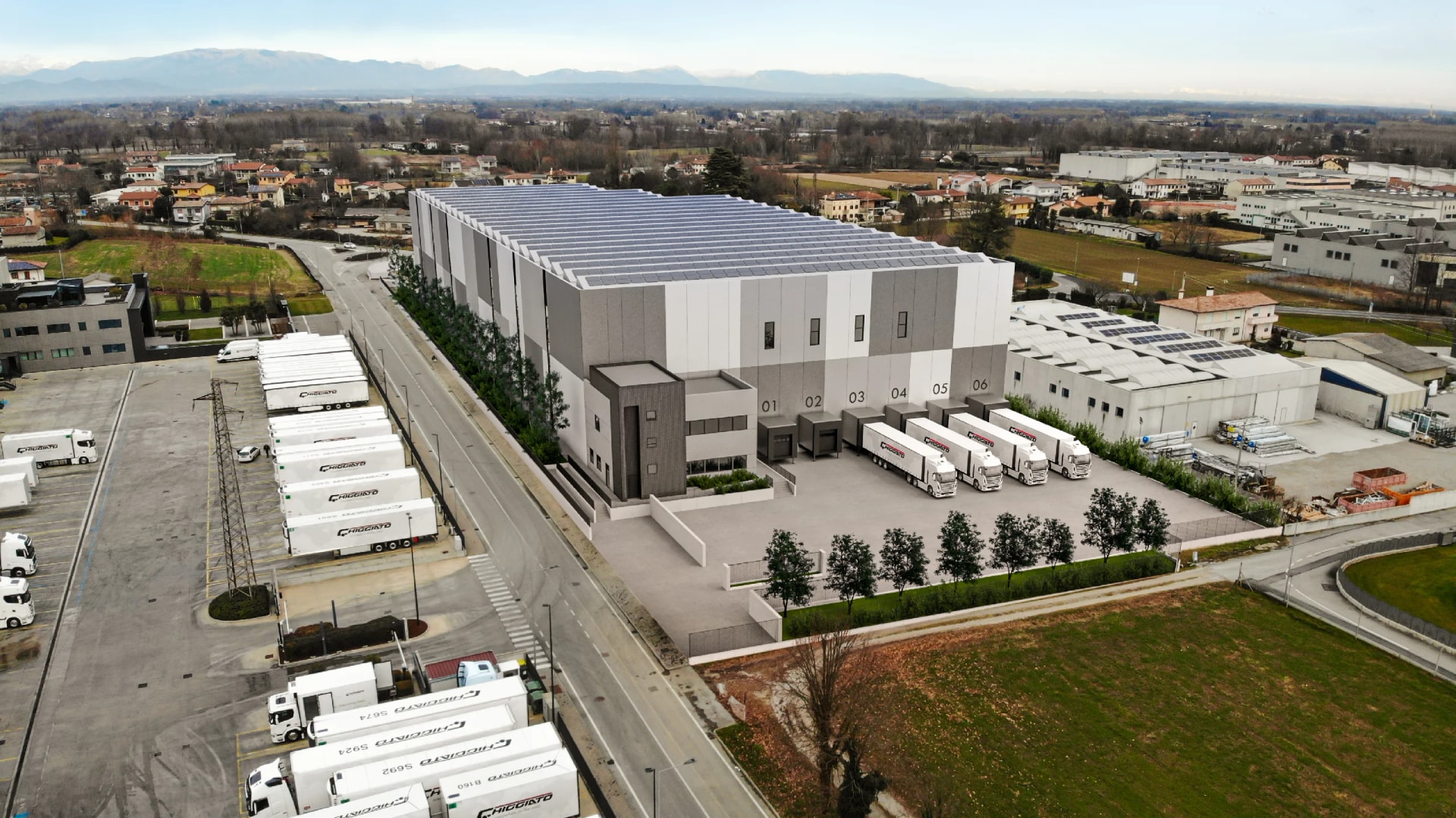
Below is the same industrial plot, shot by drone before the works and with the planned warehouse dropped in. The photograph is the same: only the building and the shadows it casts change.
Photomontage, photo simulation, staged rendering
In tenders and in technical drawings these terms get crossed, and it's worth telling them apart.
Photomontage and photo simulation mean the same thing: the project inserted into a real photograph of the site. "Photo simulation" comes up more often in the technical language of public authorities, "photomontage" in that of design studios. If an authority asks you for a photo simulation, it's asking you for a photomontage.
The staged rendering is another matter: the context is rebuilt in 3D, not photographed. It's what you need when the area is empty, when the context has to be imagined, or when the image has to be more emotional and controlled.
Photo-modeling, on the other hand, refers to the process of three-dimensional reconstruction starting from photographs. It's a technique, not a deliverable.
How a photomontage is made
The process we follow is organized into four phases.
- Site photos. We start from real photographs of the place, taken from the viewpoints that matter (the ones the project will be seen from, or those required by the drawings). The more information we have on the shooting point and the focal length, the more precise the integration.
- 3D model of the building. We rebuild the project in 3D from the technical drawings: floor plans, elevations, dimensioned sections. It's the same model we would use for exterior renderings, and in fact it's paid for only once.
- Perspective alignment. We match the virtual camera to the one of the photograph, so the building "sits" in the real space with the right proportions and the right angle. This is the phase that decides whether the image holds up.
- Light, shadows and materials. We integrate lighting consistent with the photo (time of day, sun direction, cast shadows) and refine the materials, so the building doesn't look pasted on but part of the scene.
What a photomontage costs
A photomontage is priced like an exterior rendering, because the work is the same: modeling the building and producing the image. Only the context changes, photographed instead of built.
| Item | Price | What it includes |
|---|---|---|
| First image | from €700 | Modeling the building, alignment to the photo, light and materials |
| Each extra view | €200 | The same building from another shooting point |
Prices are net of VAT, delivery in 5-10 working days.
The logic is the one of our scene-based price list: the first image contains the modeling, which is the most substantial line of work, and is paid for only once. Each following view of the same building reuses that work and costs less. Three photomontages of the same project from three different shooting points cost 700 + 200 + 200, that is €1,100, not 700 × 3.
That's why it pays to decide in advance all the shooting points you will need, instead of asking for them one at a time weeks apart: the model is already there.
What photomontage is used for
Three concrete uses, which we see every day.
Building permits and authorizations. Boards with the building set into the real context are far more readable for building commissions and technical offices than an isolated view on a neutral background. They show what actually changes in the place.
Landscape report. In Italy, for landscape clearance what counts is demonstrating how the intervention fits into the landscape and its relationship with the existing setting. The landscape report requires a simulation of the site as it will look once the work is done, and the photomontage is the tool that satisfies that request. One caveat: the precise list of documents changes from one municipality to another and from one heritage authority to another, so the documentation should always be checked with the relevant authority before producing it.
Sales and communication. Showing a buyer or an investor the building in its real neighborhood, rather than in a generic context, makes the project credible and immediate.
When you really need it: the typical cases
Photomontage is almost obligatory when the context is the whole point.
- Extensions and added storeys, where the relationship with the existing building and with the neighboring ones has to be demonstrated.
- Work in historic centers or protected areas, where the commission assesses the impact on the built fabric.
- Renovations and change-of-use projects, where the "before" exists and can be photographed.
- Installations and works in open contexts, where the question is the visual impact on the landscape.
- New builds on already urbanized lots, where the neighbors and the people who decide want to see the project in its real surroundings.
When instead the area is empty, isolated or still to be urbanized, the photograph of the site says little, and an exterior rendering with a built setting is the better option.
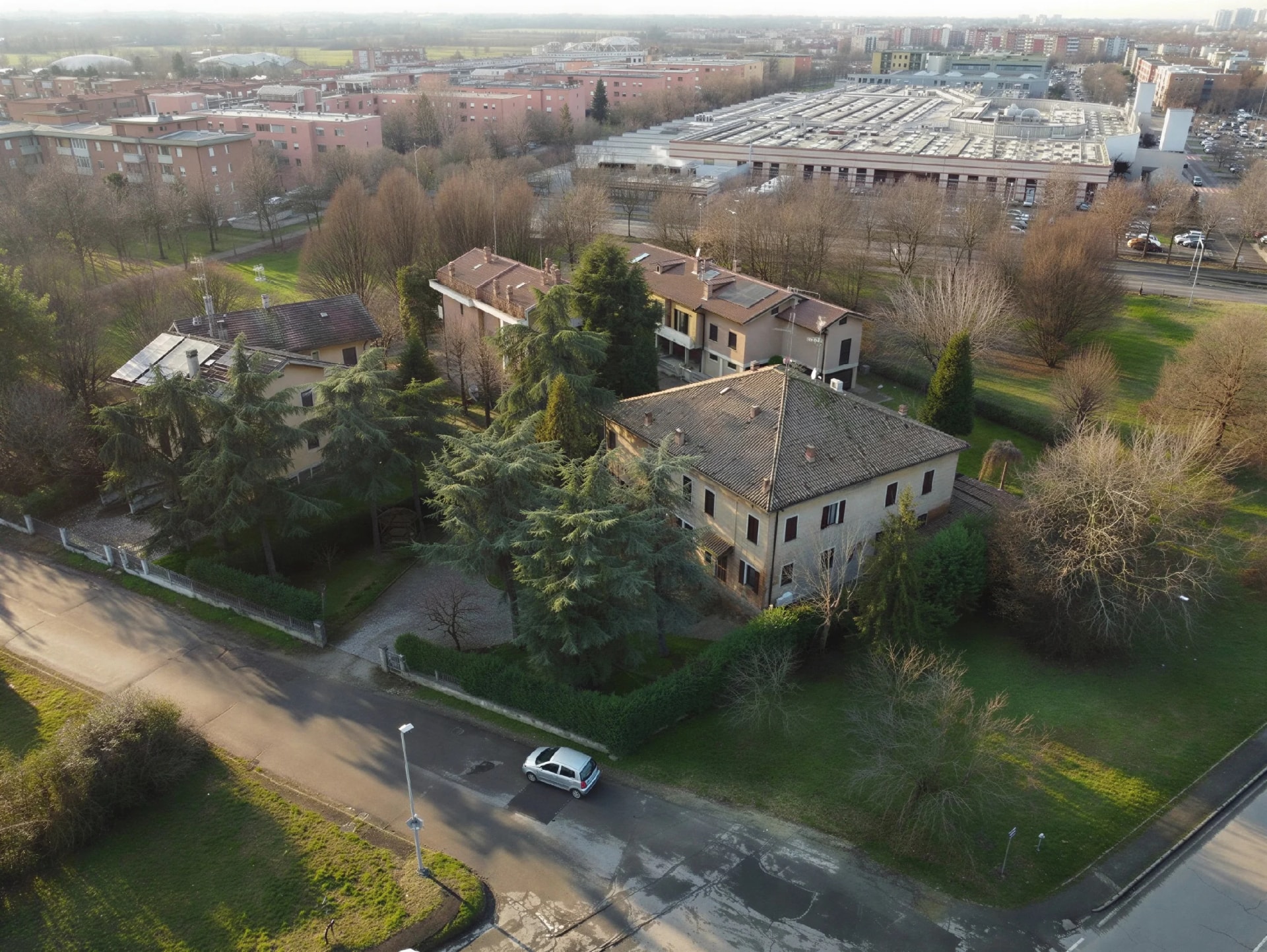
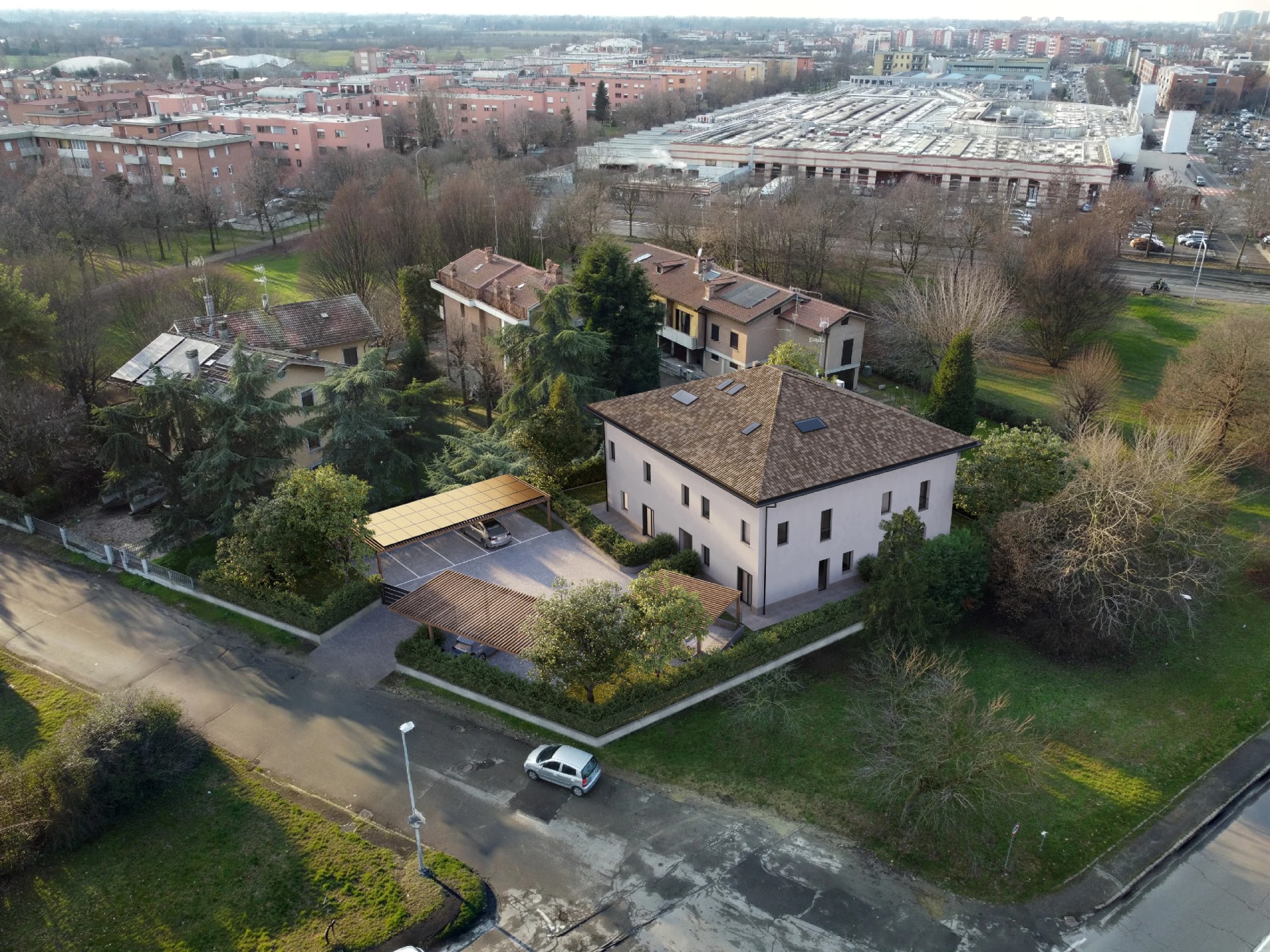
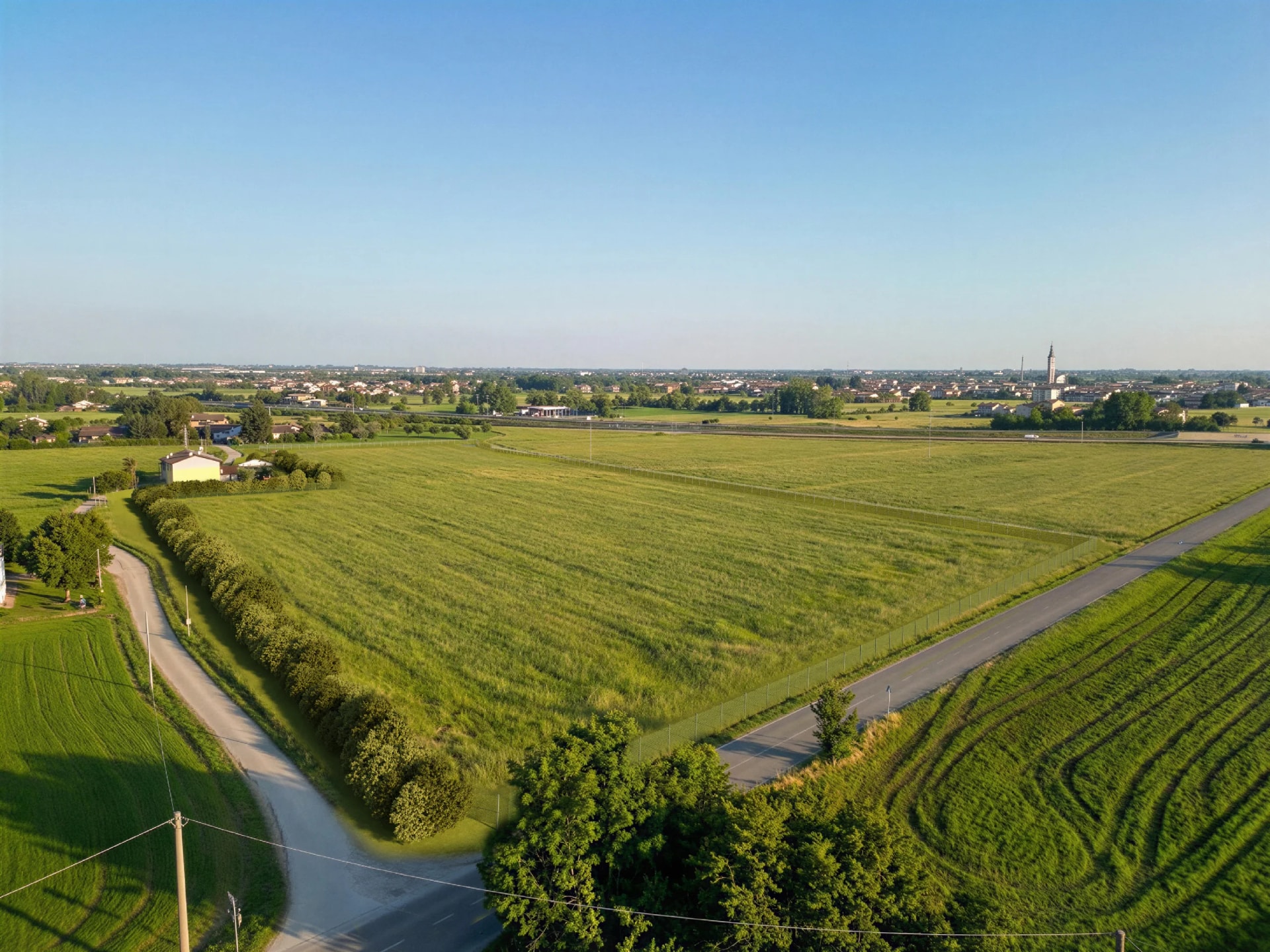
Two examples, both from the same camera position as the original shot.
Renovating an existing building. Here the "before" already exists and can be photographed, so the committee can compare the current state with the proposal directly: new roof, new render, the new timber canopy.
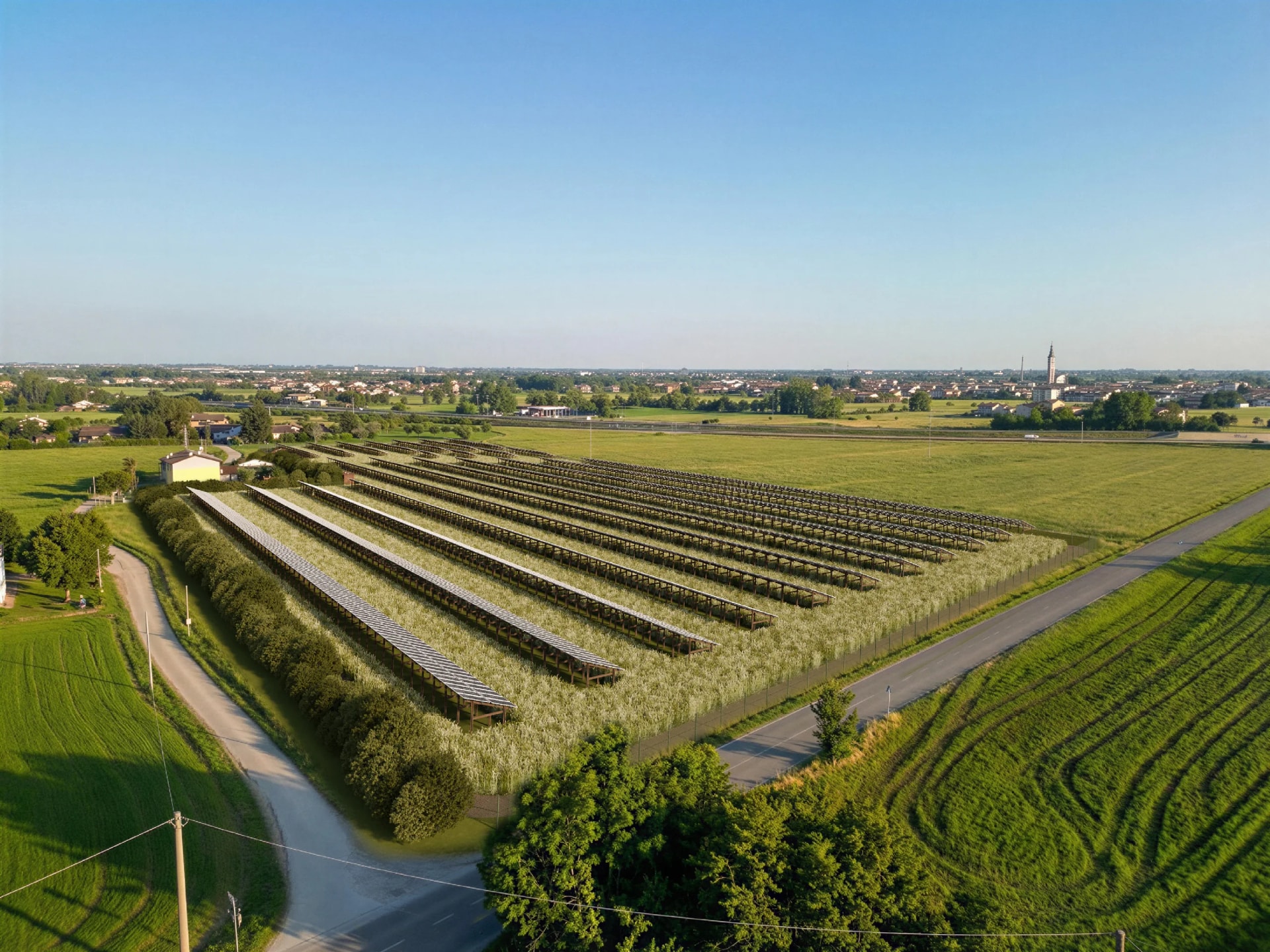
An installation in an open landscape. Here the question is not the look of a building but the visual impact on the landscape, which is exactly what the authority has to assess. The photomontage shows how much of the installation is actually visible from the road and from the village.
The site photo: how to shoot it so it works
This is the part that almost always decides the outcome, and it's the part that depends on you. A bad photo can't be fixed downstream: you go back on site.
Shooting point. Shoot from the points the project will actually be seen from, and from the ones indicated in the drawings. If the procedure requires a view from a precise point, that view has to be shot from there, not from close by.
Note the focal length and the position. Write down the focal length you used and, if you can, the position of the shot on the site plan. With those two pieces of information the perspective alignment is quick and precise. Without them, it's trial and error.
High resolution. You need a high-resolution photo, not a compressed phone crop. The photomontage will end up on a printed board or on a drawing that can be zoomed.
Time of day. Avoid full midday, with its flat light, and the very long shadows of late afternoon. A side light, with readable shadows, makes the integration far more credible.
Photograph the site clear, too. If there are cars, bins or scaffolding in front of the lot, shoot again at a moment when they're not there. Removing them in post costs time.
Shoot more viewpoints than you think you'll use. It costs nothing, and it saves you a trip back when the commission asks for one more.
Five mistakes that get a photomontage rejected
- Perspective out of alignment. The building is in the photo but it isn't in that space: the vanishing lines don't add up and the eye notices immediately, even without being able to say why.
- Inconsistent shadows. The sun in the photo comes from the right and the shadows of the project fall to the left. It's the mistake that gives away sloppy work fastest.
- Wrong scale. The building is too big or too small compared to the one next to it. In an authorization procedure that's a serious problem, because it distorts the assessment of the impact.
- A shooting point different from the one in the drawings. The image is beautiful but it doesn't answer what was asked, and it has to be redone.
- An inadequate starting photo. Low resolution, flat light, obstacles in front of the lot. A photomontage can't be better than the photograph it rests on.
Photomontage or traditional rendering?
They answer different needs, and on the same project you often need both.
Choose photomontage when the place already exists and demonstrating how the project fits in matters: authorization procedures, work in sensitive contexts, renovations and extensions.
Choose the rendering with a built setting when the area is empty, the context has to be imagined, or you need a more controlled image for sales.
In practice, on the same operation we use the photomontage for the technical boards and the staged rendering for the marketing material. The 3D model of the building is the same, so the second image costs the same as an extra view.
What the studio needs
For an accurate photomontage we need two things:
- Site photos in high resolution, from the key viewpoints (ideally with the focal length and shooting point noted).
- Dimensioned project drawings: floor plans, elevations, sections. If you already have a 3D model, the timing is shorter and the quote goes down.
With this material we rebuild the building and align it to the photograph.
Do you have a project to get approved or to present in its real context? Calculate your quote online or write to us with the site photos and the drawings: photomontages are priced like exterior renderings, from €700 for the first image and €200 for each extra view.